

A project is how BizReply knows what to monitor for you. Each project is tied to a brand and a set of keywords.
New account
When you sign up, a project setup screen will appear automatically. Follow these steps:
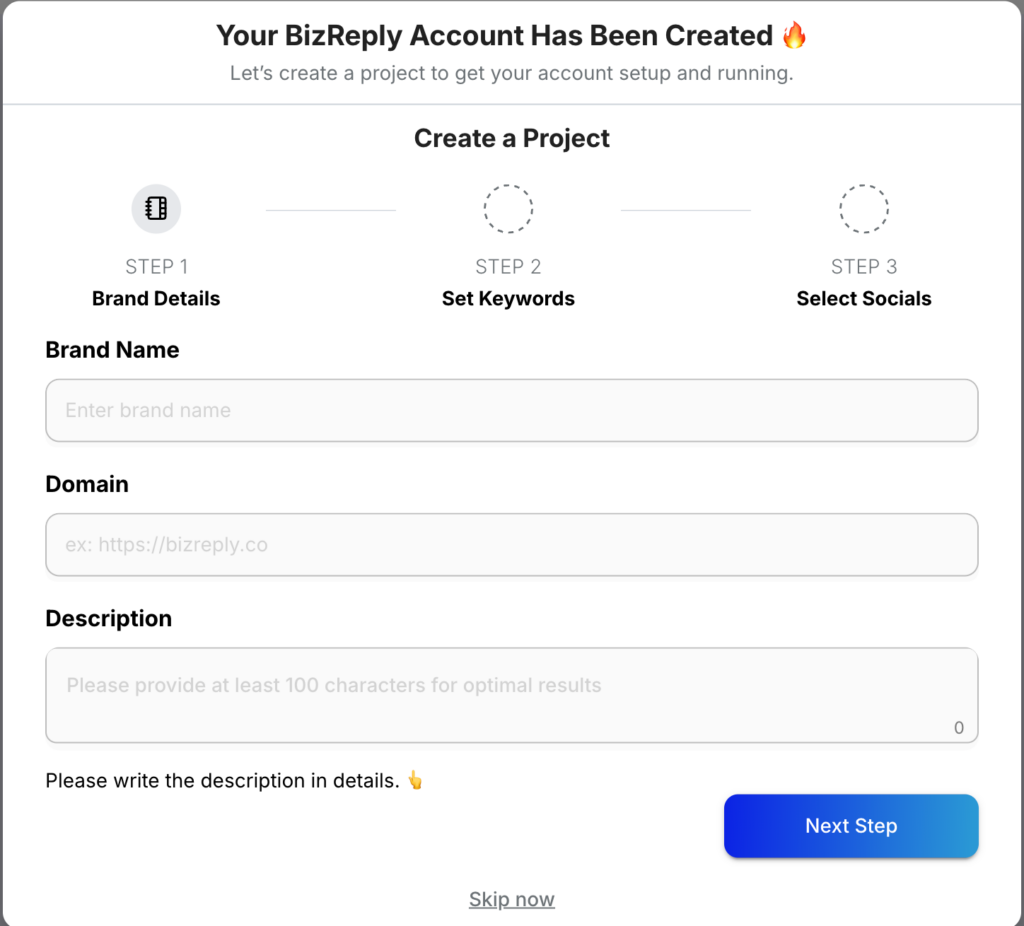
Step 1 — Brand Details:
Fill in your brand name, your website (e.g. https://yourbrand.com), and a description of your business. The more detail you add, the better BizReply understands your brand.
Step 2 — Set Keywords:
BizReply will suggest keywords based on your brand details. You can keep these, remove them, or add your own. You can also add negative keywords — these filter out posts containing words you don’t want to track. For example, if you sell “Jaguar” cars, you might add “animal” as a negative keyword.
Step 3 — Select Socials:
Choose which social media platforms you want to monitor. BizReply supports 10+ platforms. Select the ones that matter to you and press Finish Steps.
Once done, go to your results by clicking Go to Mentions or selecting Mentions from the left sidebar.
Already have an account?
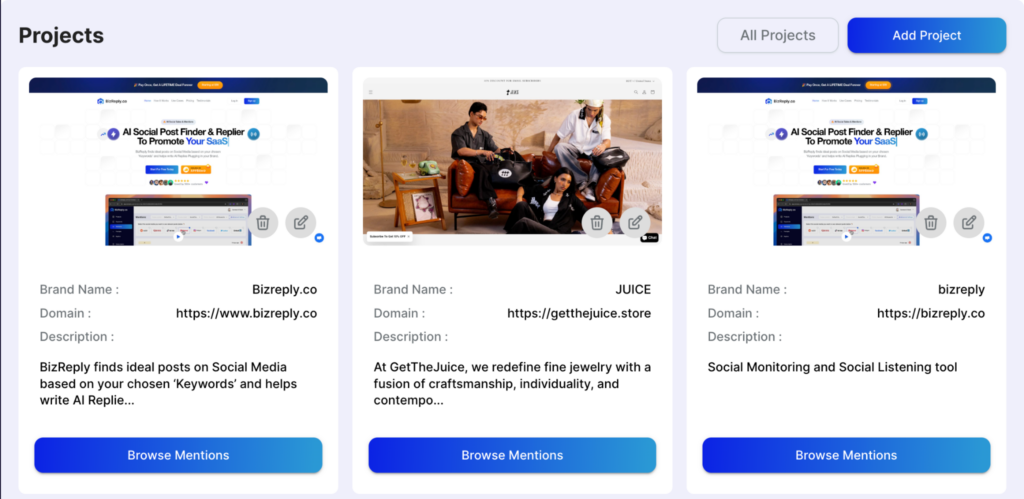
Click the Add Project button in the top right corner and follow the same steps above.
That’s all it takes to get your first project up and running. If you need any help along the way, reach out to us via the live chat or email us at hello@bizreply.io. We’re happy to help.